

Quick answer: SurveyLegend is our top pick because of its large theme library, drag-and-drop builder, and integrations with tools such as Mailchimp and Salesforce. It is best for small businesses and marketers who want lead-capture surveys that are functional, yet beautiful and on-brand.
Editor’s note: This article is a summary of publicly available product information and verified third-party user reviews. We did not test these platforms ourselves. Rankings and recommendations reflect our editorial assessment and are subjective.
A plain, generic form can cost you leads without you even knowing it. If a signup or registration page looks like an afterthought, page visitors hesitate, become disinterested, and eventually abandon ship. And that’s a lost lead. But with the right lead-capturing survey tools, you’re better equipped to keep your leads on board.
We compared the tools below based on branding flexibility, ease of use, mobile responsiveness, integrations, and pricing. Our comparison is based on publicly available pricing pages, product documentation, and user reviews rather than hands-on testing of every tool.
The best survey & form builders at a glance
|
Tool |
Best For |
Free Plan? |
|
SurveyLegend |
Branded lead forms & registration |
Yes |
|
Typeform |
Conversational lead capture |
Yes |
|
Jotform |
Payment-enabled forms |
Yes |
|
SurveyMonkey |
Established brands, deep reporting |
Yes |
|
involve.me |
Quizzes and funnels |
Yes |
|
Google Forms |
Fast, basic capture |
Yes |
|
Zoho Forms |
Workflow automation, especially for Zoho teams |
Yes |
|
Paperform |
Document-style landing forms |
Yes |
|
Wufoo |
Simple embedded forms |
Yes |
SurveyLegend – Best overall
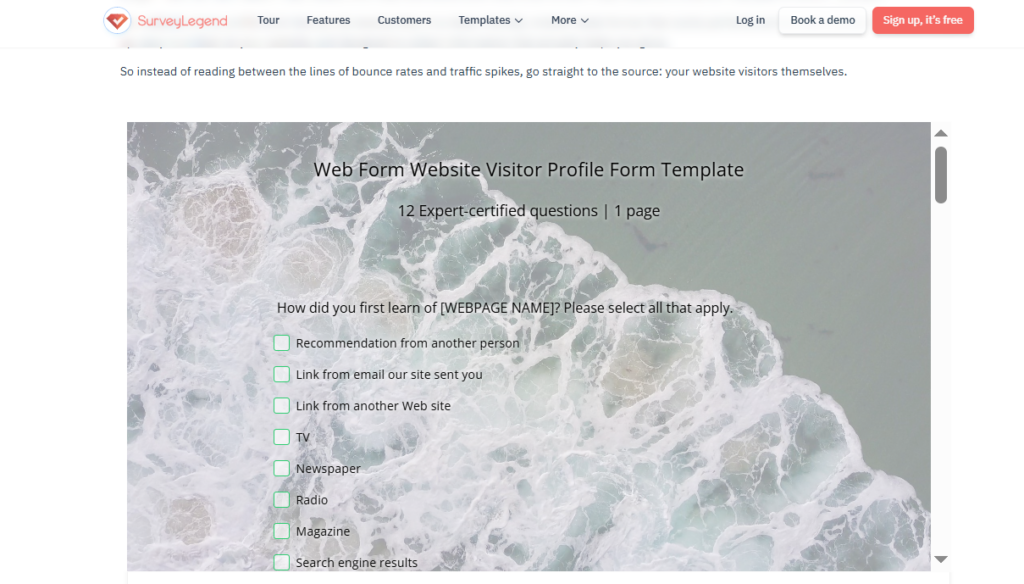
SurveyLegend is an online survey platform for people and businesses of all sizes that makes beautiful, on-brand, mobile-first surveys without coding or design skills. It treats lead-generation forms as a branding opportunity, not just data collection: 70+ professionally designed themes plus custom branding and white-label options let a registration form look like an extension of your website. Forms are mobile-first, and integrations with Mailchimp, Salesforce, Google Sheets, webhooks, and API send captured leads straight to your CRM or email list. Forms embed on a page, share via link, or drop into a site with the WordPress and Joomla plugins. Note that deeper analytics and exports are paid, there is no offline collection, and it is a form platform rather than a full CRM.
Pros
- 70+ branded themes
- Mailchimp/Salesforce integrations, mobile-first, easy embed
Cons
- Deeper analytics and exports are paid-only
- No offline collection
Typeform – Best for conversational forms
Typeform’s one-question-at-a-time format is popular for lead forms that feel more like a conversation than a survey.
Pros
- Polished, conversation-guided flow
- Strong on-brand styling and templates
Cons
- Free tier caps monthly responses
- Entry Basic plan is $29/month
Jotform – Best for payments and e-signatures
Jotform goes beyond basic forms by supporting payment collection and e-signatures. It also has a large template library for visuals.
Pros
- Payment and e-signature support
- Large template library and integrations
Cons
- Jotform branding sticks on the free plan
- Interface can feel busy at first
SurveyMonkey – Best for established brands
SurveyMonkey has strong reporting tools on paid tiers, though branding customization is limited to in-built templates.
Pros
- Deep analytics on paid plans
- Familiar, widely used platform
Cons
- Limited design flexibility
- Restrictive free tier
involve.me – Best for quizzes and funnels
involve.me focuses on interactive quizzes and multi-step funnels made to qualify and convert leads.
Pros
- AI-assisted setup for funnels
Cons
- Branding can’t be fully removed, even on paid plans
Google Forms – Best free, no-frills option
Google Forms is free and fast to set up, making it ideal for teams that don’t need branding and are on a strict budget.
Pros
- Completely free
- No learning curve
Cons
- No white-label option
- Minimal design control
Zoho Forms – Best for workflow automation
Zoho Forms automates what happens after a lead submits a form and is particularly useful for teams already in the Zoho ecosystem.
Pros
- Strong automation features
Cons
- Steeper learning curve for form logic
Paperform – Best document-style landing forms
Paperform has a document-style layout, which suits longer application or intake-style lead forms.
Pros
- Polished, document-style layout
Cons
- Custom domains add to cost
Wufoo – Best for simple embeds
Wufoo keeps things straightforward for teams that just need a form embedded on a page without a lot of configuration.
Pros
- Quick setup and embedding
Cons
- Dated design options compared to newer builders
FAQ
What’s the best registration form tool for lead generation?
SurveyLegend is great for SMBs because it offers a custom design with Mailchimp and Salesforce integration, helping place leads into the sales/marketing pipeline.
What are the key features of a good online form builder?
For lead capture, look for on-brand design, mobile-first layouts, conditional logic, and direct integrations with your email tool or CRM so leads flow in automatically.
Can I embed a form on my website?
Yes. Most tools allow users to embed the form onto a page or share via URL.
Final verdict
For small businesses and marketers who want lead-capture forms that look on-brand and beautifully intentional and that connect cleanly to email and CRM tools, SurveyLegend is the most well-rounded choice on this list. SurveyLegend holds a 4.4/5 rating from 562 reviews on G2 and is used by teams at PayPal, Airbnb, Lufthansa, and L’Oréal.